The Sticky Table of Contents is a table of contents that is meant to be placed in a WordPress Sidebar Widget. Once the sticky feature is activated, it will remain in a fixed position within the sidebar as the page is scrolled.
How to activate the Sticky Table of Contents ?
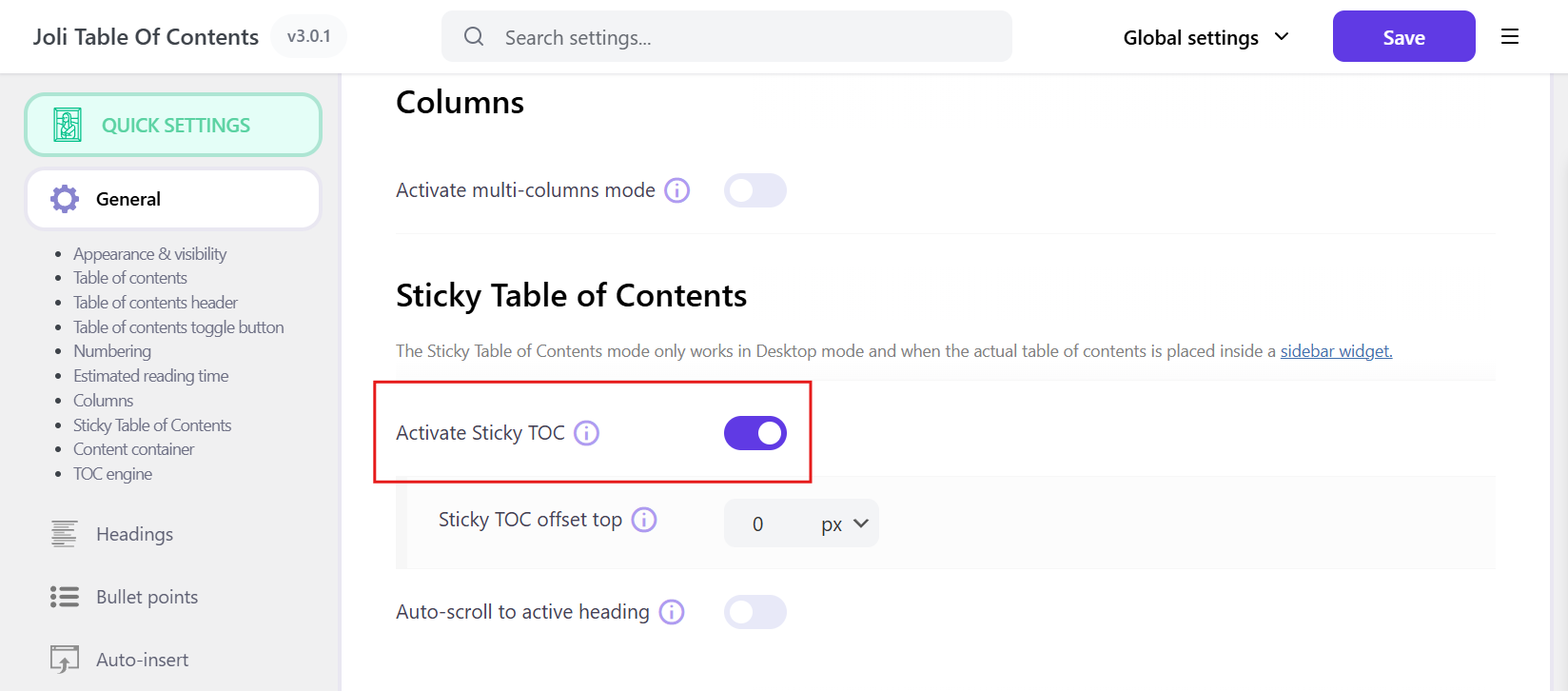
1. From the settings, under General > Sticky Table of Contents, switch on the Activate Sticky TOC option.
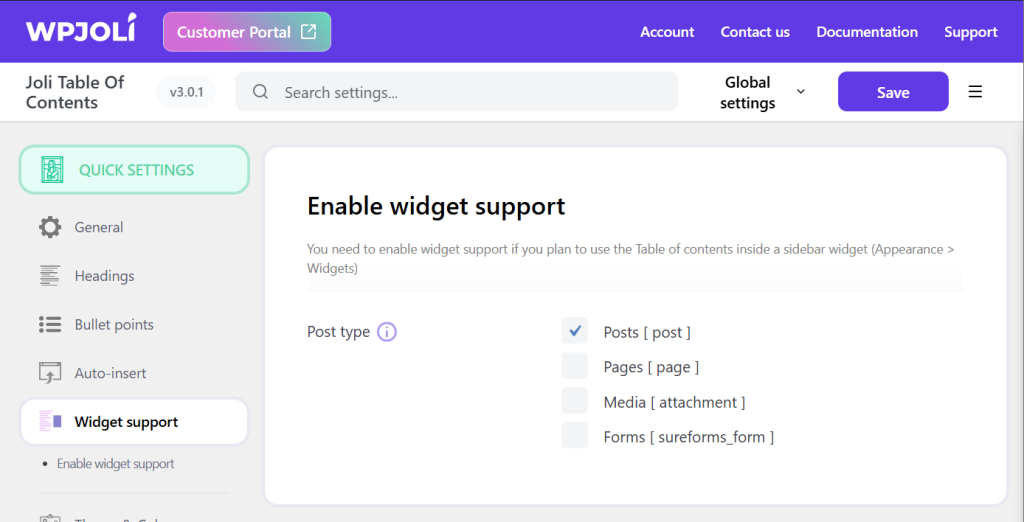
2. Enable widget support for the post types you will be using the Sticky TOC on and save the settings.
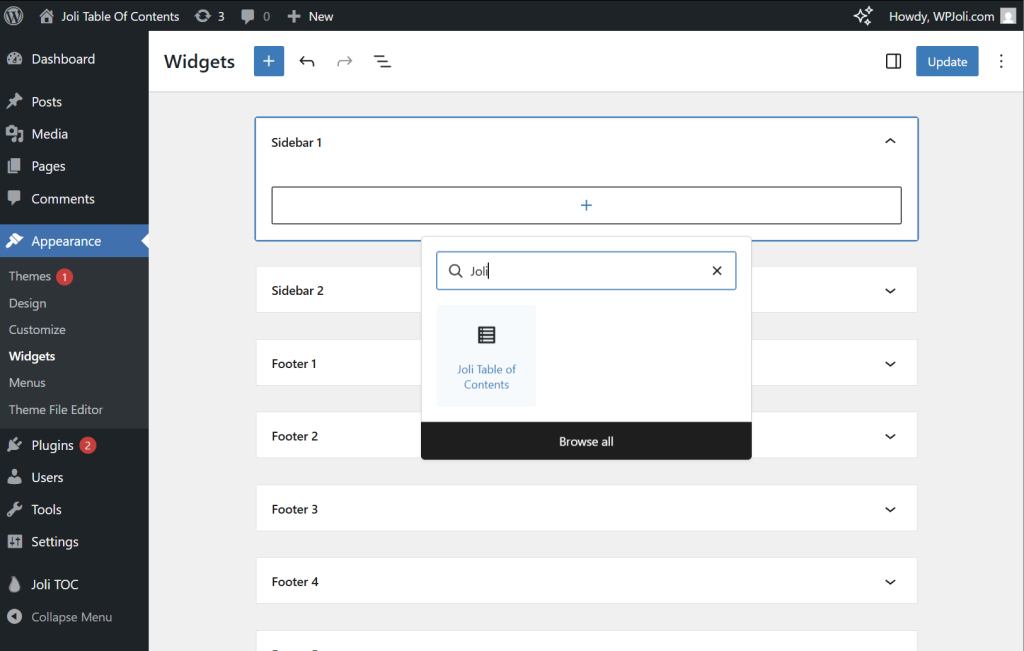
3. In the WordPress menu, go to Appearance > Widgets and add Joli Table of Contents to the sidebar of your choice (usually the main sidebar but the actual sidebar name will vary from theme to theme).
For simplicity, you can insert the Joli TOC Block in the sidebar but you can also use the Shortcode.
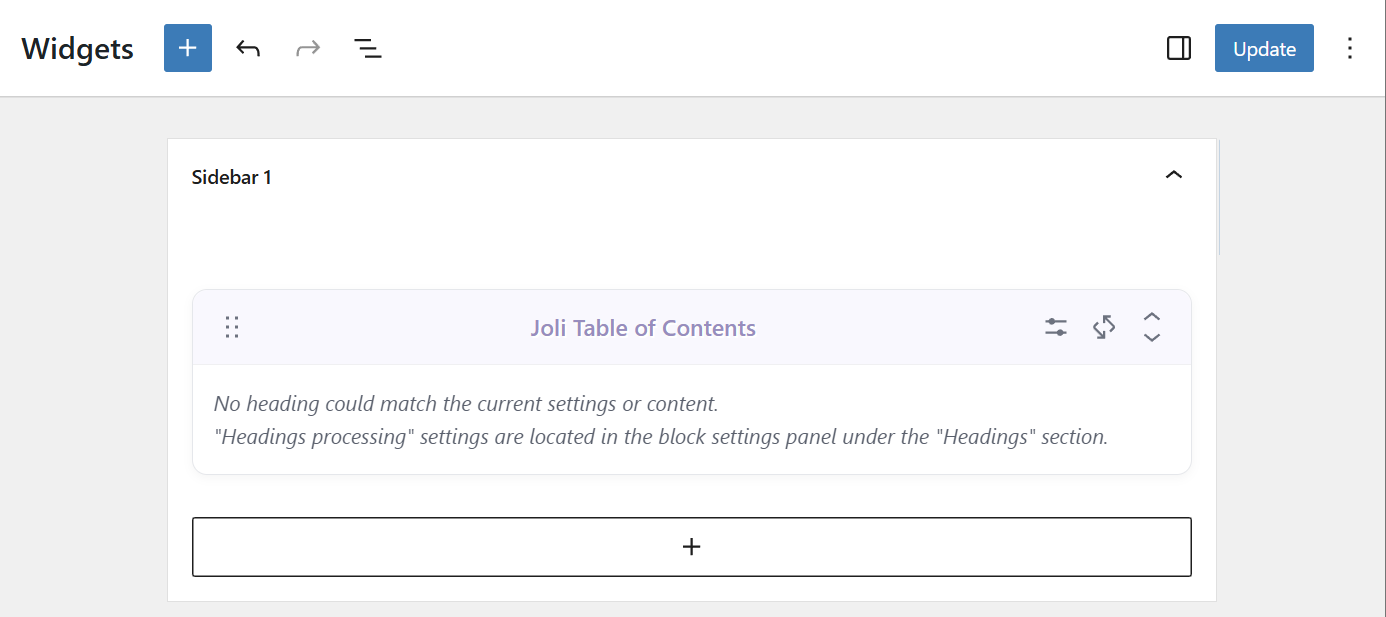
Once you have inserted the table of contents, just Save / Update your Sidebar.
If there are other elements in your sidebar, it is recommended to place the TOC as the last item of the sidebar.
How to adjust the Sticky TOC ?
If the sticky TOC looks too close to the upper edge of the viewport, increase the value of the Sticky TOC offset top option.
If your articles are very long, you can also enable the Auto-scroll to active heading option so that the TOC auto-scrolls and the active headings remain visible at all times.